
Care and location
Review supported calls, pendants, protected exits, and location information with facility context.
Alert²
Bring connected care, security, and location information into one browser-based view, configured around your facility.
Explore Alert²
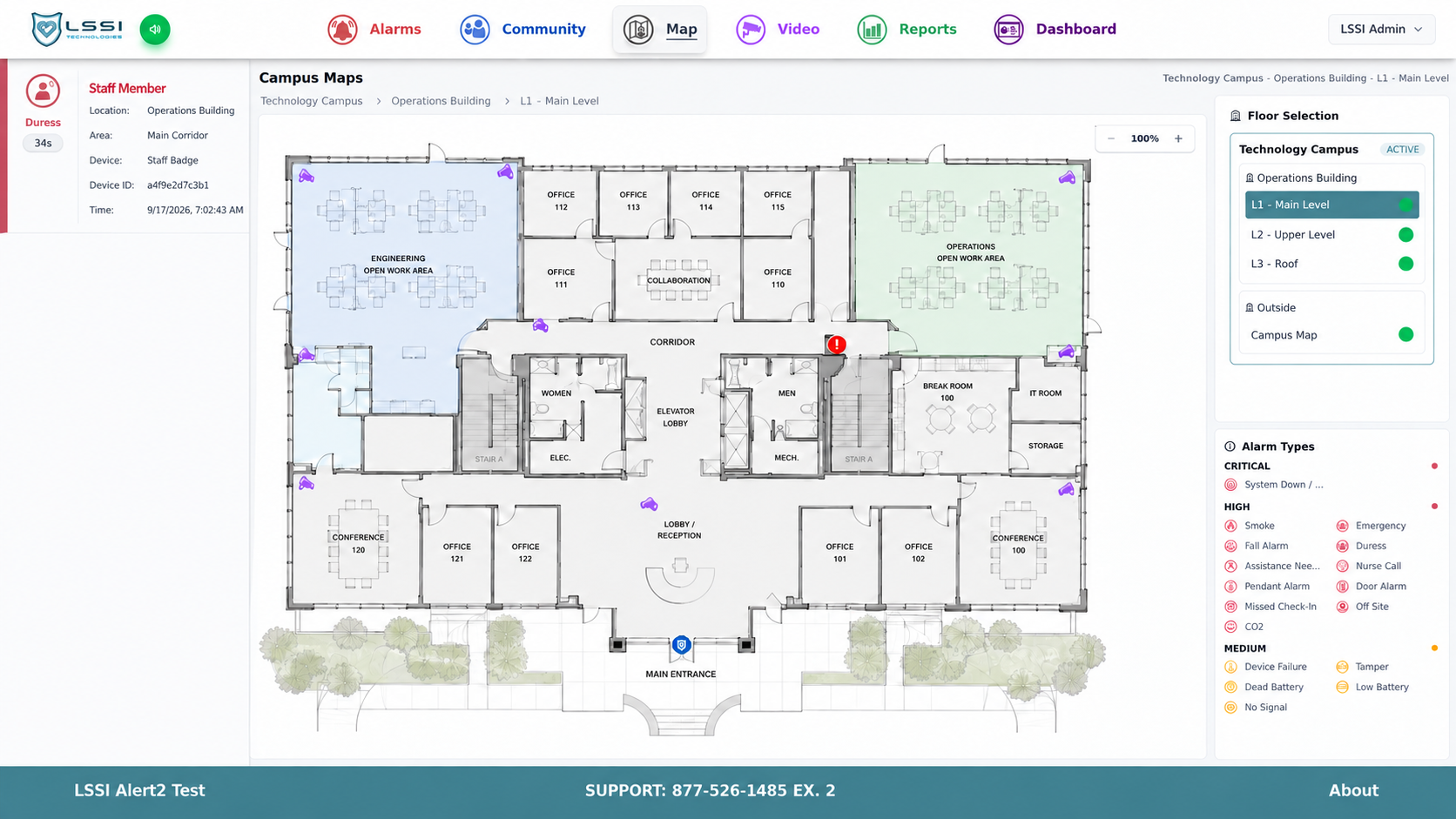
Follow the annotations to see how alarms, floors, and map symbols are organized in the operator workspace.
Explore the campus map screen. These annotations explain the interface; they do not operate Alert².
View full-resolution screenshot →Floor plans give operators a visual reference for rooms, entrances, and device locations. Maps are configured for the facility.
The alarm panel presents event and location information alongside the map. Available details depend on the connected system and configuration.
The floor selector organizes views within the campus. Operators can select the relevant building level without leaving the map workspace.
The legend explains the alarm symbols displayed on the map, helping operators interpret different event types.
Connected information
Field systems continue to perform their own functions. Alert² brings information from supported connections into the same workspace.
Review supported calls, pendants, protected exits, and location information with facility context.
Connect supported door activity and camera views with the event being reviewed.
Configure notification paths and use event history for operational review and support.
Planned for the site
Connections depend on supported hardware, interfaces, and system configuration. LSSI reviews compatibility as part of the project.
Alert² is built around an on-site operational environment, with configuration for the connected workflows the facility requires.
Maps, buildings, system relationships, and operating context are organized around the customer’s environment.
LSSI helps operators understand their configured system and provides ongoing technical support.
Next step
Tell us what your team needs to see and which systems you use. LSSI will review your request and follow up.